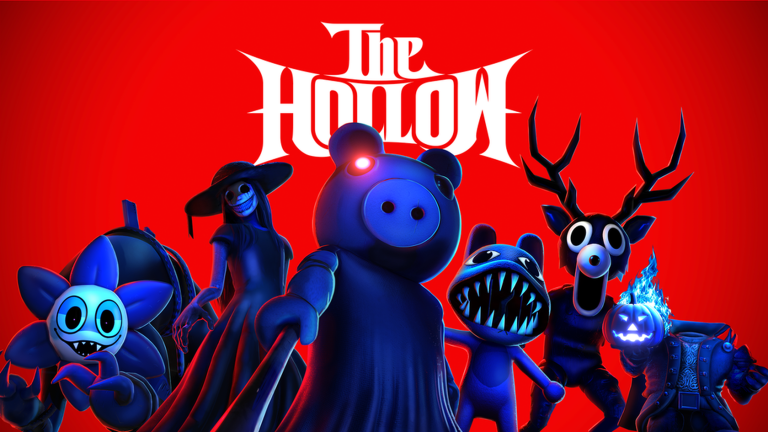
Stepping into the spooky, monster-filled universe of The Hollow Roblox ugc event can feel overwhelming with so many terrifying experiences and hidden challenges to navigate. If you are hunting for exclusive avatar items, rare badges, and limited-time cosmetics, knowing exactly where to look and what quests to complete is crucial for success. Whether you are tracking down The Hollow Roblox ugc event rewards or figuring out how to claim items with tickets, this comprehensive guide has you covered from day one to the grand finale.
Running through November 2, 2026, this platform-wide horror celebration features nine popular experiences, daily changing mazes, and unique gameplay loops. Below, we break down every major reward, the exact quest requirements reported by the community, and insider tips to maximize your ticket earnings.
Overview of The Hollow Event and UGC Mechanics
The core mechanic of the event revolves around exploring the event hub, entering the central elevator to navigate daily unlocking maze floors, and completing special event-exclusive missions inside participating horror games. Players can collect event tickets by finishing these missions, which can then be spent at the hub concessions and shops to purchase themed avatar gear.
According to community reports, pacing your gameplay around the daily unlocks is essential since new floors and items drop incrementally leading up to the October 31 live finale.
| Event Feature | Detail / Requirement | Reward Type |
|---|---|---|
| Event Duration | Oct 22 to Nov 2, 2026 | Platform-wide Access |
| Maze Floors | Unlocks daily in the Hub elevator | Progression & Badges |
| Ticket Currency | Earned via mini-quests and game missions | Shop Currency |
| Final Deadlines | Final collections close Nov 2 at noon PT | Limited Inventory |
Top Free and Quest-Based Avatar Items
To build an impressive inventory, you will need to dive into specific participating games and complete their designated event challenges. Player experience indicates that while some quests take only a few minutes, others require careful puzzle-solving and maze evasion.
The table below outlines the major wearable accessories available during the initial days of the event and how to acquire them.
| Item Name | Participating Game | Acquisition Method | Item Category |
|---|---|---|---|
| All-Seeking Antlers | DOORS | Complete the DOORS event quest (interact with gravestones, collect perks, reach the bottom exit) | Head / Face Accessory |
| Beasthammer | Flee the Facility | Fill the empty candy bucket and escape the map by hacking computers or capturing survivors | Shoulder / Tool Accessory |
| Lord Umberhallow BLOXikin | Hub / Day 1 Maze | Complete the Day 1 maze puzzle, retrieve the Relic, and escape the monster | Shoulder Pet / BLOXikin |
| Gourd Lord (Entangled) | Event Shop | Purchase using 100 tickets earned from multiple event quests | Head / Hat Accessory |
Step-by-Step: Claiming the Beasthammer
Community reports highlight that simply finishing the Flee the Facility event quest isn’t quite enough to make the Beasthammer appear in your inventory automatically. Follow these steps to secure your prize:
- Complete the main Flee the Facility event assignment by gathering candy and escaping successfully.
- Return to the main event hub and locate the designated elevator leading to the secondary quest rooms.
- Search the interior chambers for a specific gray room.
- Locate the Beasthammer positioned on the immediate left upon entering the room to officially claim it to your account.
Roblox Plus Perks and Exclusive Ticket Items
For players utilizing Roblox Plus, several additional cosmetic rewards and launcher items become accessible. Community discussions and video guides point out that these optional perks add extra flair to your avatar while offering unique hub interactions.
| Special Item | Requirement / Source | Functionality / Description |
|---|---|---|
| Plus Launcher Ghost | Active Roblox Plus subscription | Lets you deploy the plus launcher ghost inside the hub |
| Quacko Lantern | Roblox Plus + 20 Tickets (Night 1 Shop) | Exclusive seasonal head accessory |
| Trick or Treat Tentacles | Roblox Plus + 20 Tickets (Night 3 Shop) | Rare animated back or shoulder tentacle accessory |
| Spectral Skull of Nevermore | Roblox Plus + 20 Tickets (Night 6 Shop) | Intricate spectral skull hat design |
Understanding Launcher Variations
During the event hub festivities, you may notice various glowing ghosts floating around players. These are tied to specific creator and community tiers.
| Launcher Type | Distributed By | Visual Effect on Avatar |
|---|---|---|
| Star Launcher | Official Star Creators | Star-themed shoulder floaters |
| Admin Launcher | Roblox Administrators | Admin-themed particle effects |
| Dev Launcher | Experience Developers | Developer-themed aura |
| Plus Launcher | Roblox Plus Subscribers | Standard white ghost floaters on both shoulders |
Essential Tips for Earning Tickets Fast
If you want to purchase shop-exclusive cosmetics like the Gourd Lord, you need to hoard tickets efficiently. Not all quests reward the same amount, so strategy is key.
- Prioritize High-Yield Quests: Focus on mini-games and tasks that offer larger ticket payouts (such as sell lemons or complex multi-step missions) rather than lower-yielding quick tasks.
- Team Up in Horror Experiences: Games like DOORS and Flee the Facility are much easier to complete with friends or coordinated public lobbies, reducing failed escape attempts.
- Check Daily Resets: Because new mazes and items unlock incrementally, log in daily to grab newly dropped quests before time runs out.
For official event updates and patch news, check out the Roblox Newsroom.
Frequently Asked Questions About The Hollow Event
How do I ensure my avatar items from The Hollow Roblox ugc event actually save?
Any UGC items and badges earned during the event are permanently saved to your Roblox account once successfully claimed through the official in-game interface or hub concession stands.
Do I need to spend Robux to participate in The Hollow Roblox ugc event?
No, participation in the event, exploring the mazes, and completing standard game quests are entirely free. Robux is only required if you choose to purchase optional subscription features like Roblox Plus for extra perks.
Where do my claimed items go after I finish a quest?
Wearable UGC accessories can be found by opening your Roblox Avatar or Customize menu and checking the appropriate category, such as hats, shoulders, or back accessories. Some in-game tools may remain exclusive to specific experiences.
Can I still claim rewards after the main event ends?
Roblox has announced that reward collection continues until noon Pacific on November 2, 2026, giving players a brief window after the Halloween finale to tie up loose ends and claim remaining prizes.