Introduction to The Hollow Event
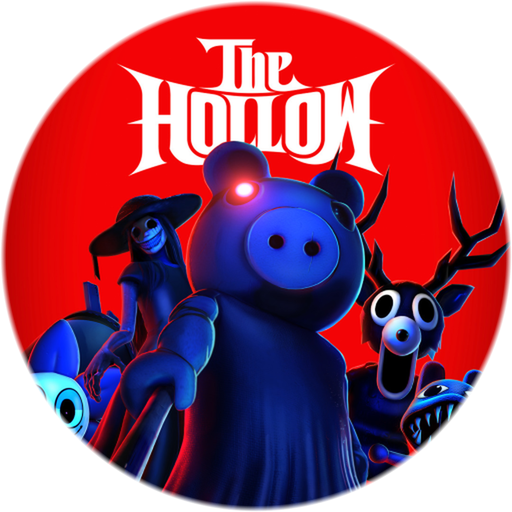
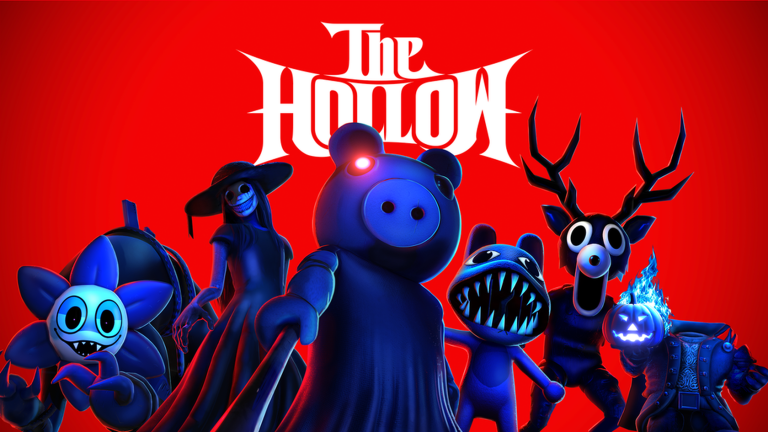
Platform-wide events always bring massive cosmetic updates, and finding the official The Hollow Roblox logo has become a top priority for custom creators, fans, and digital archivists alike. Whether you are looking for The Hollow Roblox logo to update your game’s thumbnail, decorate your fan group, or simply understand how the platform’s visual identity shifts during major seasonal releases, this comprehensive guide covers all the essentials. Roblox launched this ambitious horror-themed experience to celebrate one of the platform’s most popular genres, drawing millions of players into a shared survival environment running through November 2.
As part of this rollout, the platform introduced significant branding updates, including mobile app icon transformations and exclusive event assets. Understanding how these visual elements tie into the broader gameplay mechanics helps players appreciate the depth of modern Roblox seasonal events. Below, we break down everything you need to know about navigating the event, securing your rewards, and utilizing branding assets effectively.
Understanding The Hollow Roblox Logo and Mobile App Changes
Major platform events often introduce temporary visual overhauls, and the latest Halloween celebration is no exception. When accessed on mobile devices, the official app theme actively changes the application icon to reflect The Hollow Roblox logo branding. This dynamic visual shift signals to users that a major platform-wide event is live, creating instant recognition across iOS and Android app stores.
| Feature / Element | Detail / Description | Impact on Players |
|---|---|---|
| Mobile App Icon | Dynamically changes to feature event branding | Instant recognition of active seasonal content |
| Event Hub Integration | Embedded directly into the main platform interface | Quick access to daily mazes and horror titles |
| Visual Theme | Dark, eerie, horror-centric aesthetic | Sets the immersive tone for the 9-day survival event |
| Asset Availability | High-resolution icons shared via official social channels | Used by creators and community wikis for fan projects |
According to community reports and official announcements from the platform’s update channels, these branding updates are designed to boost engagement. You can read more about the platform’s official news and announcements directly on the Roblox Newsroom.
Event Structure and Gameplay Mechanics
The event takes place over nine continuous days of horror-themed gameplay. Players navigate shifting mazes, collect clues, and evade iconic monsters drawn from popular Roblox horror games. Each day introduces a new terrifying entity to test player survival skills, culminating in a massive live finale.
| Day / Phase | Featured Monster / Element | Core Objective |
|---|---|---|
| Days 1–3 | The Deer (from 99 Nights in the Forest) | Navigate initial mazes, collect early event tickets |
| Days 4–6 | Seek (from DOORS) and daily variants | Evade aggressive pursuers, unlock utility items |
| Days 7–9 | Rotating community-voted horror entities | Survive complex obstacle setups, gather rare candies |
| Finale | Live Platform-Wide Event Finale | Participate in final boss encounters and claim exclusive UGC |
Player experience highlights show that successful navigation requires teamwork and strategic item management. Utilizing safe zones and coordinating with creator champions who stream live from inside the event hub can drastically increase your survival odds.
How to Earn Event Tickets and Rewards
Beyond atmospheric branding, players are eager to collect tickets, badges, and exclusive UGC items. Mini-games scattered across the event hub offer various ways to stock up on rewards. For instance, participating in minigames like cleaning leaves in the Haunted Halloween Mansion or surviving megastore scenarios yields substantial payout values.
| Minigame / Activity | Time Investment | Primary Reward | Strategy Tip |
|---|---|---|---|
| Haunted Mansion AFK | 15 Minutes | Mansion Emblem & Tickets | Stay parked on the designated stairs safely out of sight |
| Megastore Candy Run | Variable (Solo/Group) | Infinite Slingshot & Tickets | Use height advantages and melee weapons to fend off guards |
| Daily Maze Exploration | 10–20 Minutes per day | Unique Monster UGC / Badges | Follow creator livestreams for hidden clue locations |
Community reports confirm that playing solo in certain minigames can actually reduce the number of aggressive guards or obstacles you have to face, making solo grinds a viable strategy for efficient ticket farming.
Frequently Asked Questions
What is The Hollow Roblox logo used for?
The Hollow Roblox logo and associated branding assets represent the platform-wide Halloween survival event. They are prominently displayed on the mobile app icon, event hub interfaces, and official promotional materials across social media channels like X (formerly Twitter).
How long does the event run?
The event officially began on October 22 and runs through November 2, featuring nine distinct horror-themed days and a special live finale on October 31.
Can younger players participate in The Hollow event?
The main event is designed for players aged 9 and older due to its horror themes. However, younger players can enjoy family-friendly alternatives like the Duck Duck crossover event in the Family Zone, as well as seasonal updates in games like Adopt Me! and Welcome to Bloxburg.
How do I get free event tickets?
Players can earn tickets by exploring daily mazes, completing minigames such as the Haunted Mansion cleanup, and participating in platform-wide quests within the event hub.